

Navigate quickly
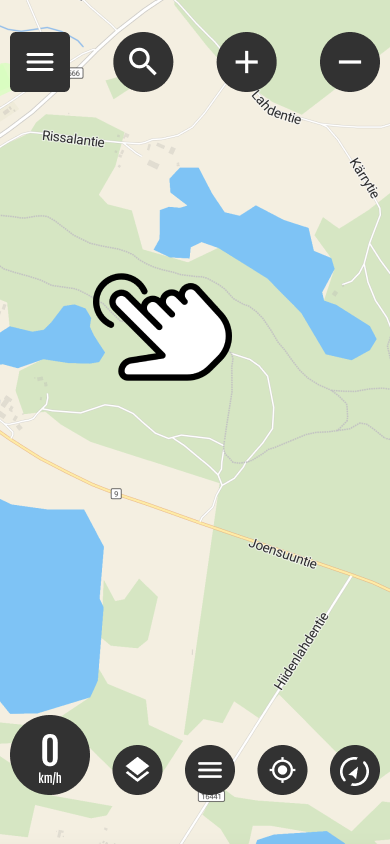
Select destination from the map
You can quickly start navigation by long-pressing on the desired item on the map (long press)
Pressing opens where routing settings are selected.
Select routing option and navigation method
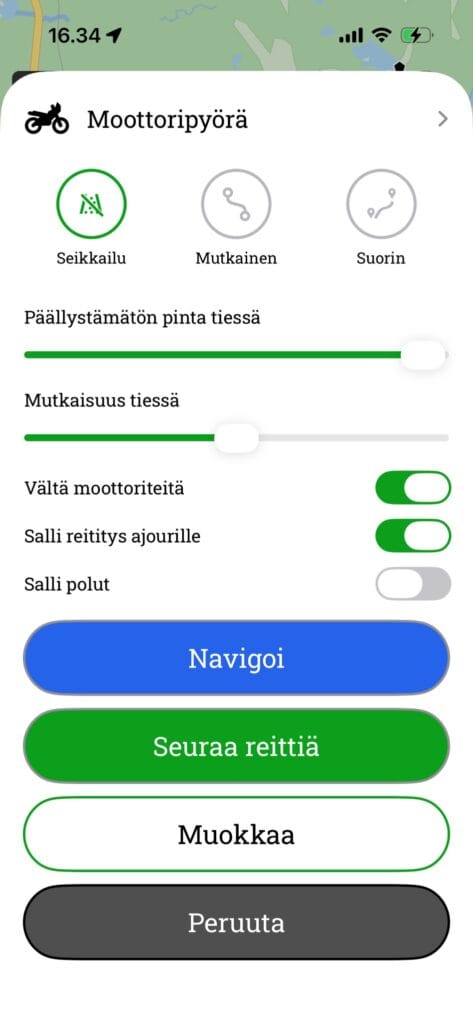
1 routing options
Motorbike
- Adventure It selects routes with few roads and maximises the proportion of sand and gravel tracks.
- Curvy: Optimise the route so that it always follows the most winding and twisting roads possible
- Straightest: It always selects the most efficient and direct route from the starting point to the destination.
Bicycle
- Adventure Also utilize small paths and shortcuts in the terrain when routing.
- Curvy: Optimise the route so that it always follows the most winding and twisting roads possible
- Straightest: Always selects the most efficient and direct route from the starting point to the destination
Advanced settings
- Avoid motorways
- Avoid routing onto the carriageway
- Avoid walking on the footpaths
- Avoid ferries
- Avoid customs duties
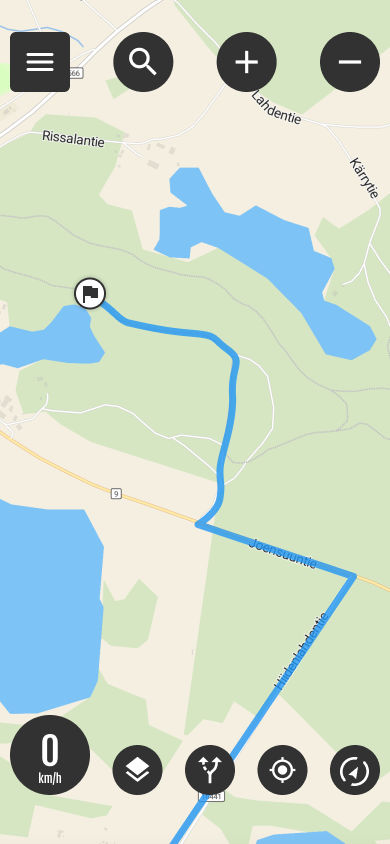
Active route

The Active Route button allows you to:
- Starts route navigation if you have been following a route
- Hides the route
- Cancels the route






 Finnish
 English
 Swedish
 German
 French
 Spanish