


Search function
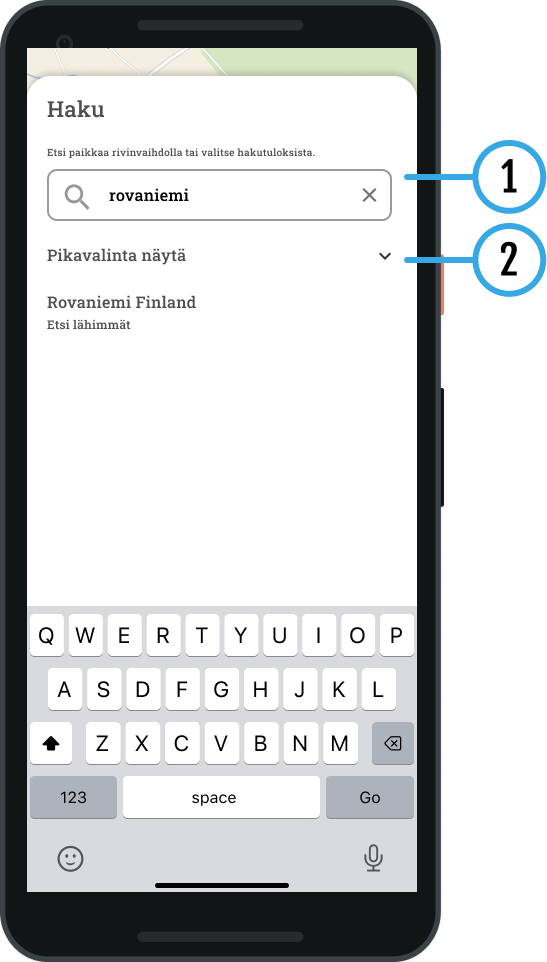
1 search
You can find the items you are looking for by typing a location in the search field. name, address or category. The search function suggests suitable results for you based on the information you enter.
2 Search quickly
You can use ready-made categories, which help you quickly find hotels and campsites, for example, directly from the map view. Select the desired destination from the list:
- Gas stations
- Pharmacies
- Hotels
- Repair shops
- Campsites
- Accommodation
- Attractions
- Banking services
- Grocery stores
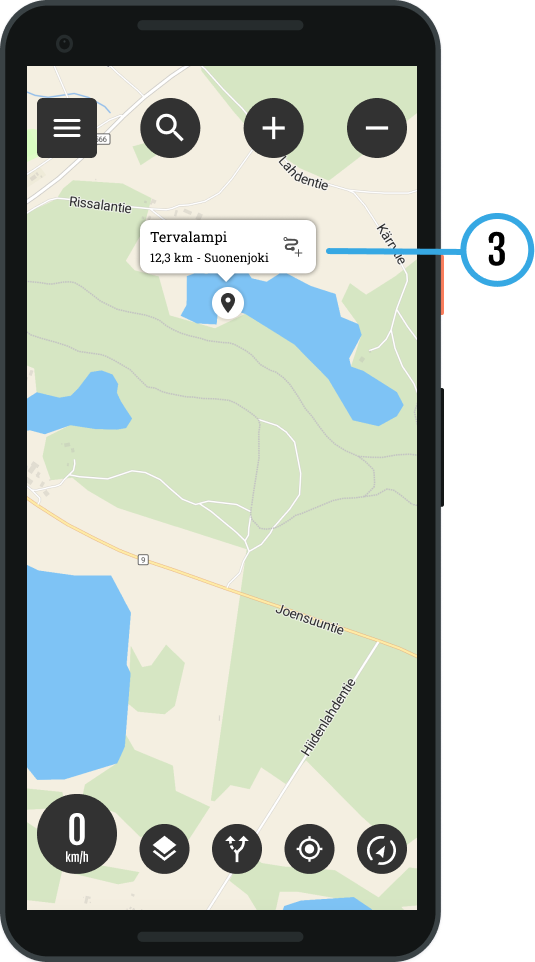
3 Search results on the map
The results are displayed on the map:
Select destination: Tap an item to open its details.
Information: You will see the name and address of the place.
Navigation: To start navigation, press route symbol.






 Finnish
 English
 Swedish
 German
 French
 Spanish