

Older versions stopped working on 17 September due to the renewal of the backend systems. Update Bikenavi to the latest version. (Android 3.0.7 or iOS 3.0.0) from your app store, and the app will work normally again.
Bikenavi – Routing
Bikenavi routingengine offers three ready-made basic modes, along with settings built around them for route customisation. It adapts routing entirely to your settings: forget formulaic route suggestions and precisely define road types, surfaces, and curviness according to your own preferences. The route's progress and structure are controlled using the selected mode and its contained parameters.
Separate driving profiles for motorcycles and bicycles ensure that route calculation always takes into account the specific needs of the chosen vehicle.
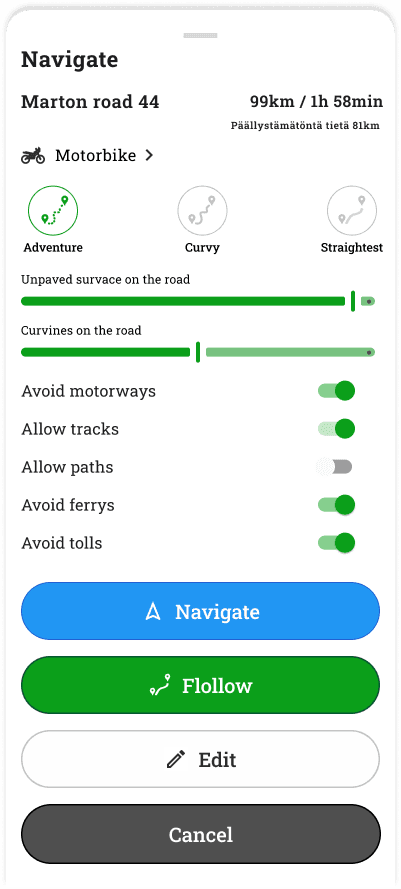
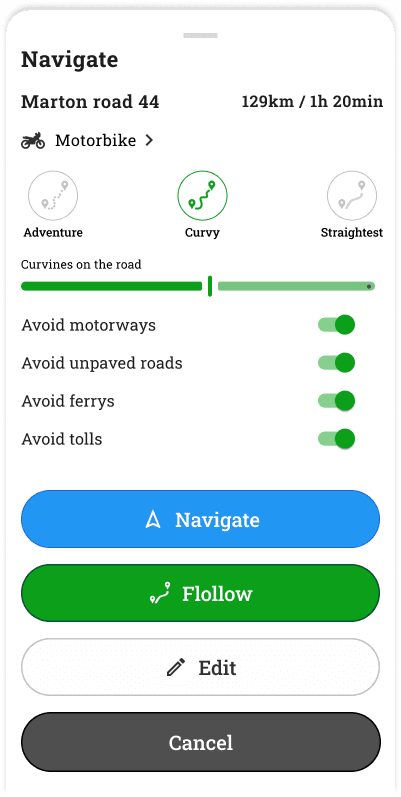
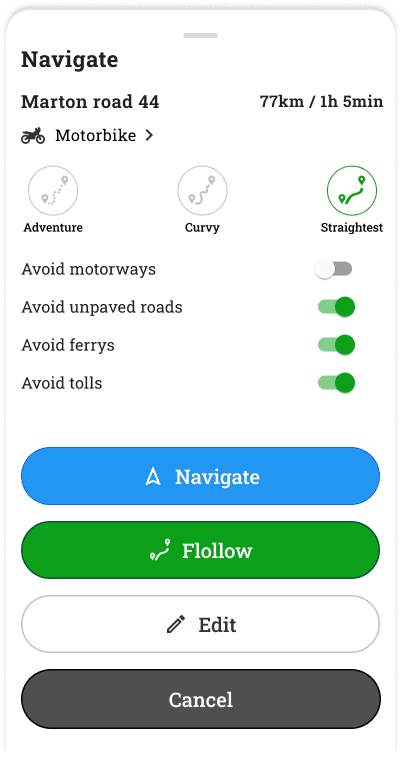
Initially, choose the desired routing mode: Adventure, Winding, or Direct. Additional settings can influence the nature of the route. In editing mode, the route can be viewed or modified as desired.
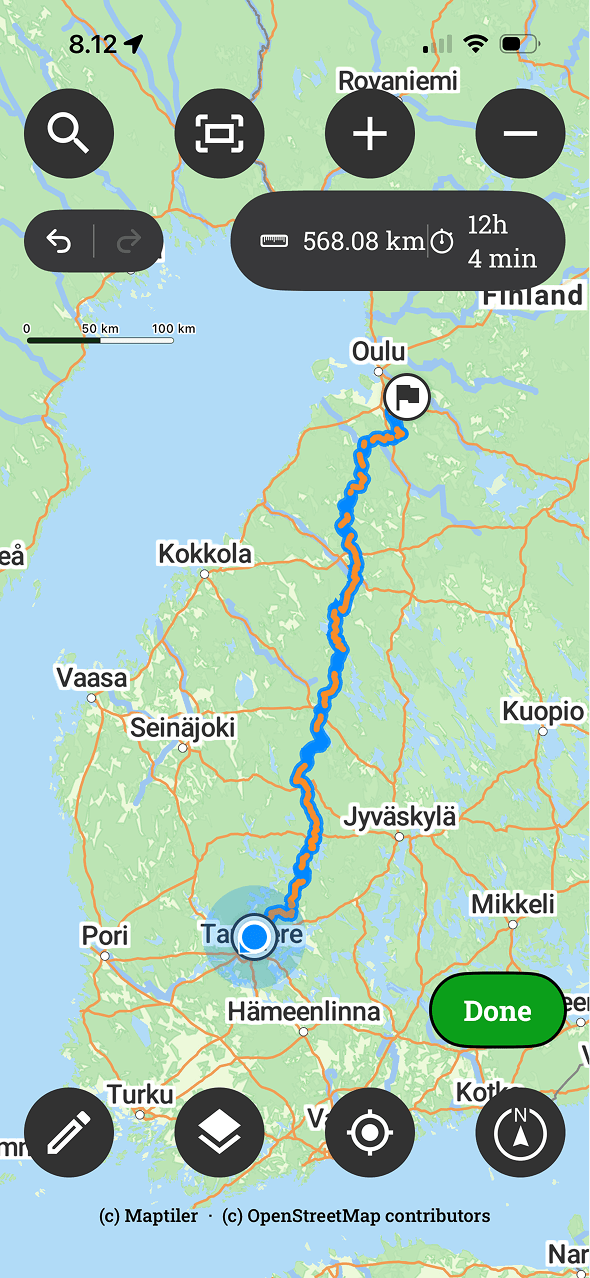
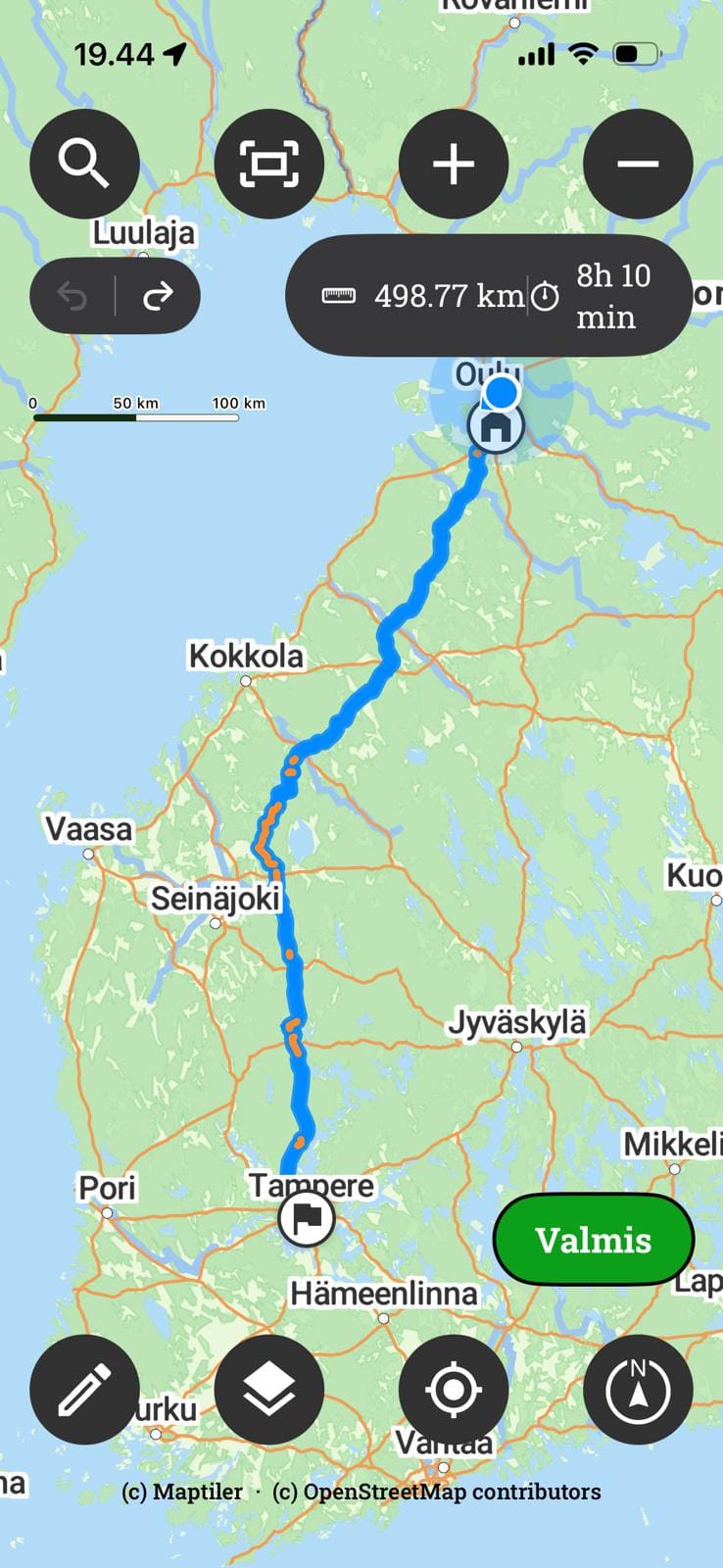
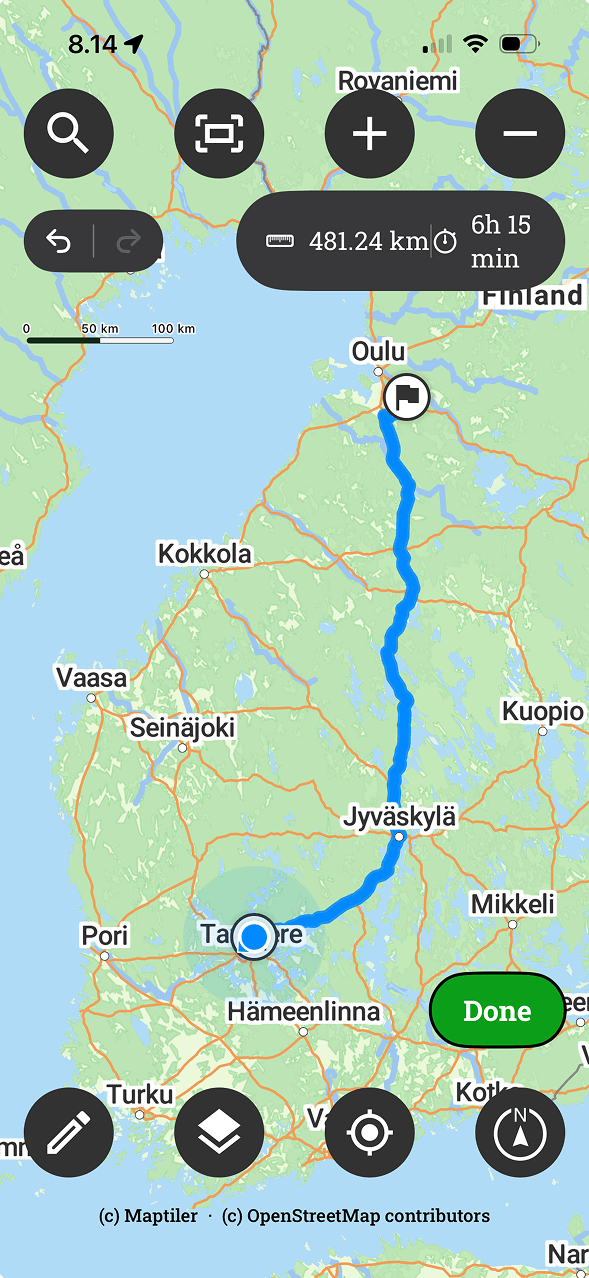
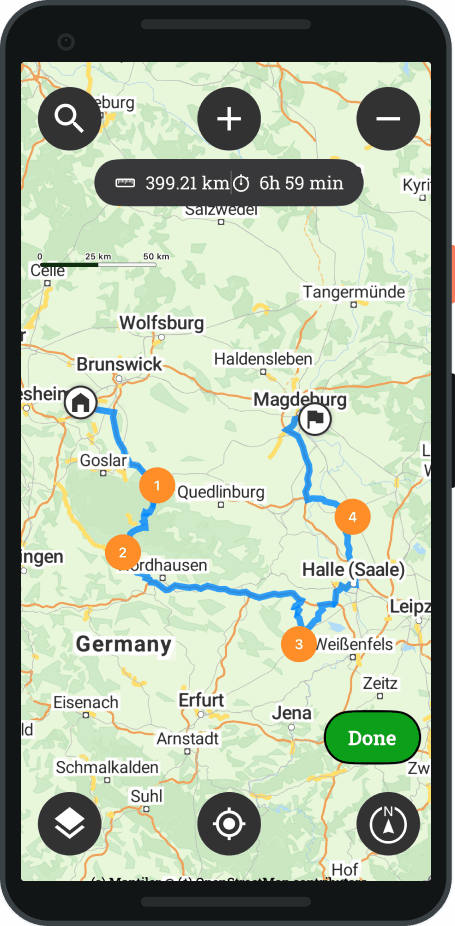
The route has been opened to edit mode. You can see the route's length and whether it includes unpaved roads. Roads marked in orange are unpaved. The route can be edited by adding and moving waypoints.
Different routing modes
Adventure
Adventure Seeks out minor roads for the route and maximises the proportion of gravel and unpaved roads. Uses its own basic settings and controls for fine-tuning the amount of unpaved road and road types.
Curvy
Curvy: Optimise the route to always take the most convoluted and winding roads possible. The mode includes its own basic settings and controls for the degree of winding.
Straightest
Straightest: It always chooses the most efficient and direct line from the starting point to the destination with its default settings and certain route constraints.
Additional route settings and limitations
The route's course and structure can be refined by selecting suitable additional conditions and filtering settings. These selections help guide the routing to permit specific trail types or to entirely bypass undesirable transitions and road types.
-
Avoid motorways Filter out motorways and dual carriageways from the route.
-
Allow tracks: Tractor tracks, forest roads and similar routes for clearing the way.
-
Allow paths: Allows routing on narrower pathways.
-
Avoid ferries Reroutes the route by road without ferry or shuttle transport.
-
Avoid toll roads Filter out toll roads and other tolled road sections from the route.
-
Choice of vehicle Adapt route and road selections according to your chosen vehicle.
Editing a route
You can easily edit the route
- Open route to edit mode
- Add a new waypoint with a long press
- Remove waypoint with a long press, and press the rubbish bin
- You can move all points by dragging
- You can add bullet points (note that a full stop cannot be added from a distance).
- You can use the undo / redo functionality




 Finnish
  English
  Swedish
  German
  French
  Spanish