

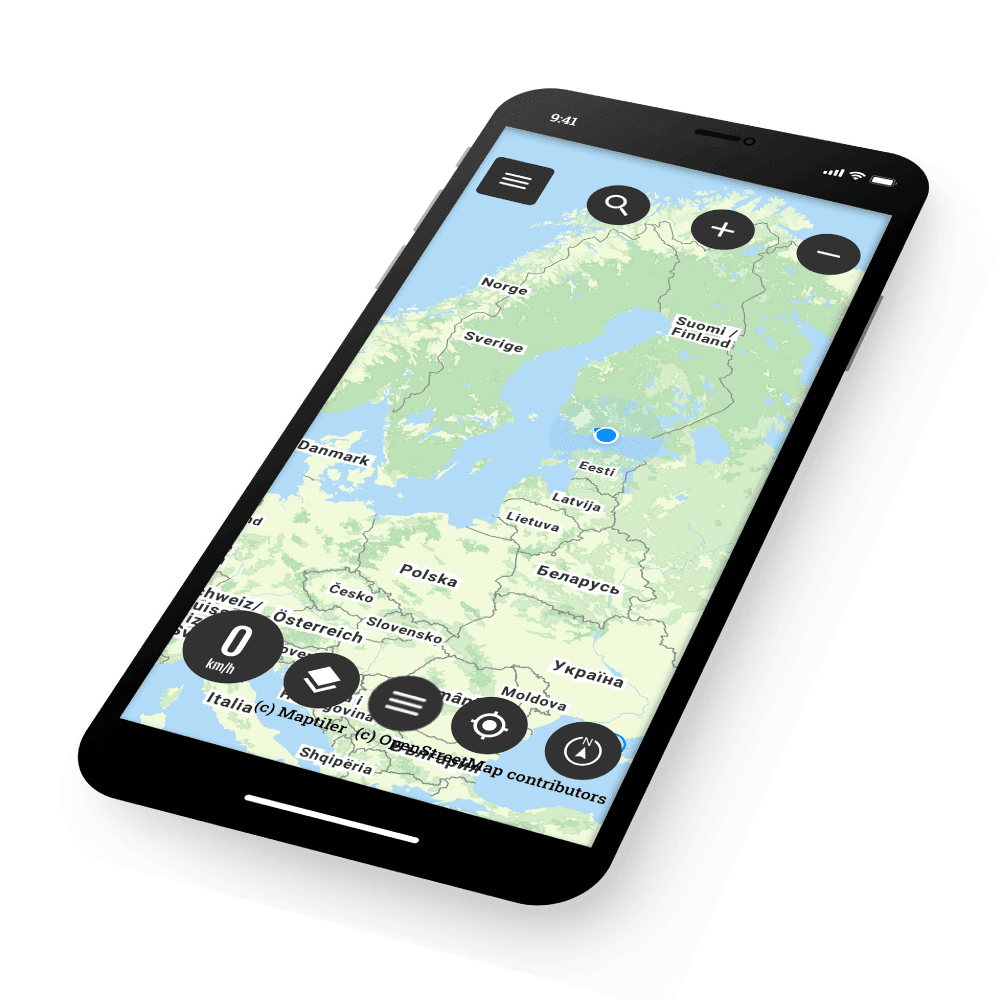
Bikenavi's Android app has been revamped. The latest update brings the long-awaited guided navigation and versatile route planning tool. Creating and editing routes is now easy and straightforward on your mobile device, making trip planning even more flexible.

Turn-by-Turn Navigation
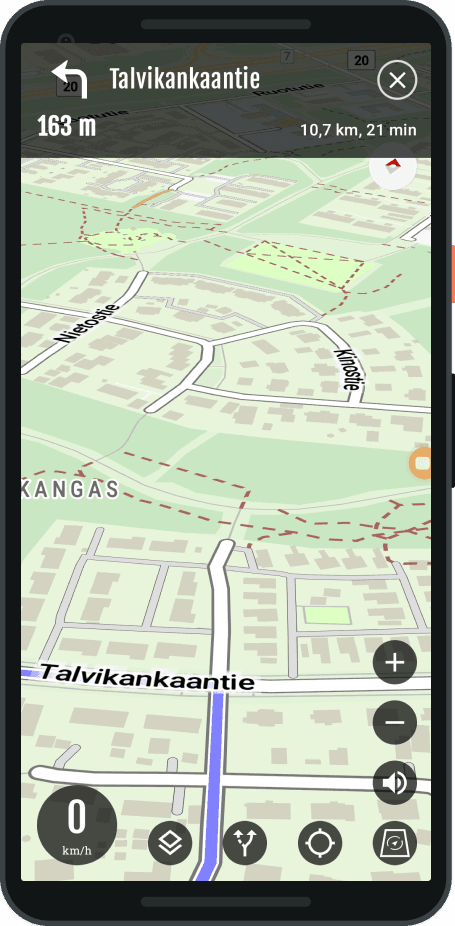
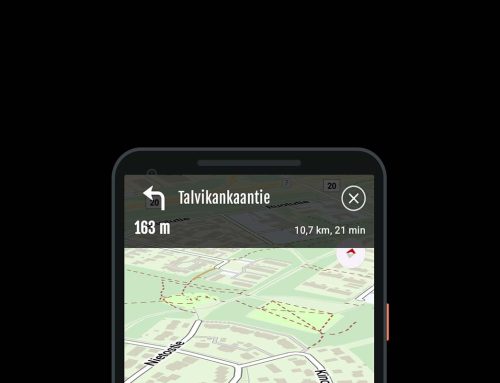
The app now actively guides you throughout your journey. You don't have to follow the route, as the app also tells you exactly when it's time to turn.
The choice is still yours: Although the new guidance makes driving effortless, you can still follow the route in the traditional way, directly from the map without active guidance – just like before.
-
Clear visual instructions: You can see the direction and distance of the next turn directly on the screen.
- Audio guide: You can follow the route through headphones, allowing your phone to stay in your pocket or on a stand without disturbing your view.
-
Automatic rerouting: If you deviate from the planned route, the app will immediately calculate a new cycling-friendly route to your destination.
Plan your trip easily
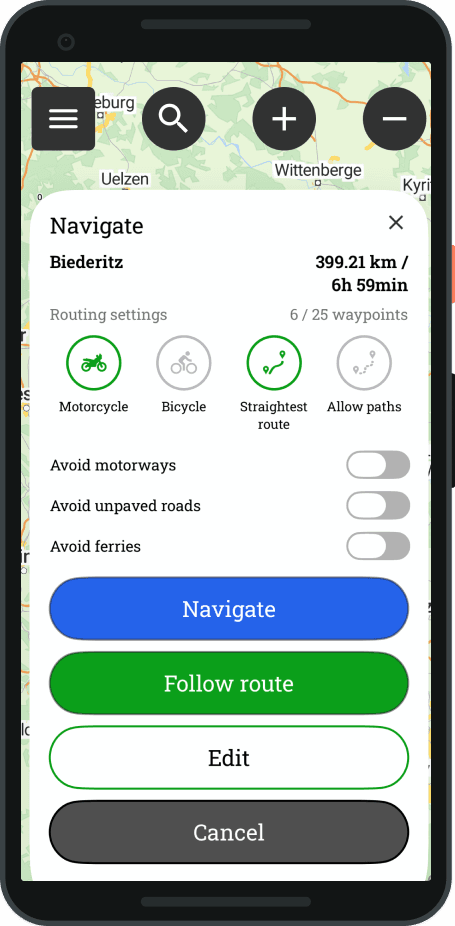
- Click on the desired item on the map: Planning is easy. When you select a destination on the map, the app automatically creates a route. By default, the route starts from your current location, but you have the flexibility to also edit the starting point and place it anywhere you want.
-
Detailed route information: The application clearly shows destination address
-
Select routing settings: Adjust route properties and choose the settings that best suit your needs with a single tap.
-
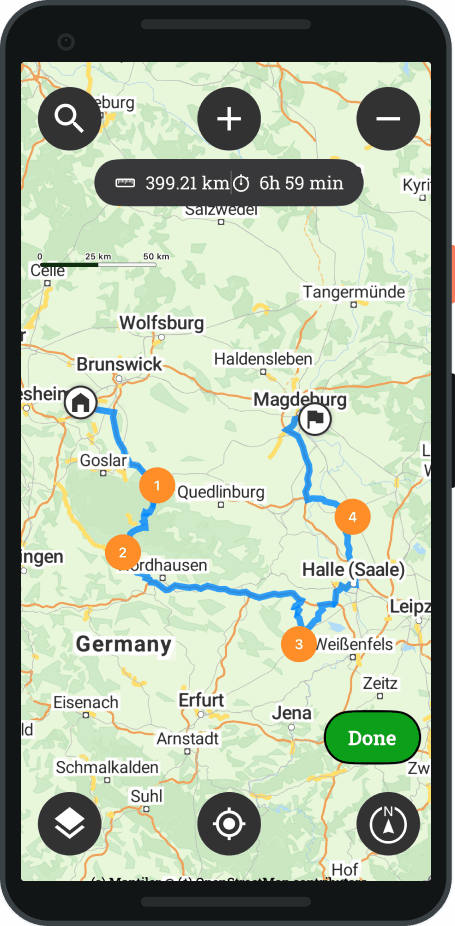
Adaptation: You can edit the route, add waypoints, and fine-tune all points freely.
Save and edit
Once you have completed a route, it will be saved to your personal routes. Saved routes are not locked, but are always re-editable, if you want to change your plans later.
Distribution
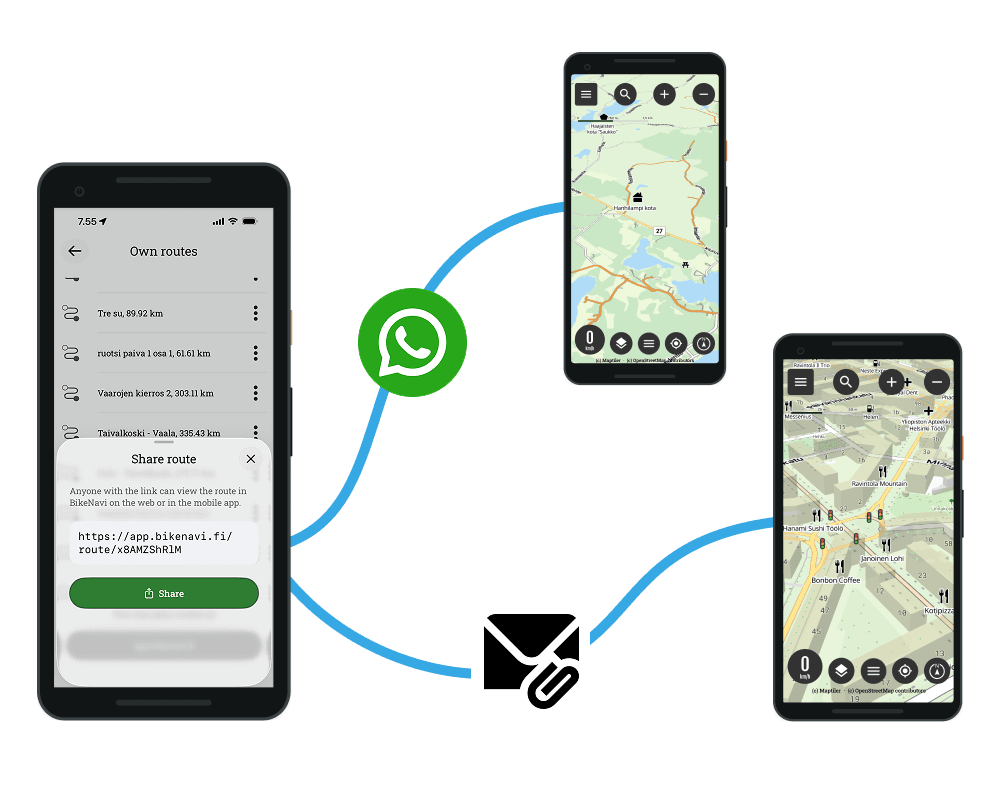
We have also released a new route sharing feature for Android, which makes transferring routes between Bikenavi users even faster.
While traditional GPX export is still a viable way to share routes, the new link sharing is designed specifically for instant sharing between mobile users.
Note: The feature is available to Bikenavi subscribers.
This is how it works
- Select settings.
- Select My routes.
- Find the route you want to share.
- Select Share route from the three-dot (…) menu.
- The application generates a unique link from the route, which you can send to your friend via WhatsApp or email, for example.
- Send a link.
- Receiving: open the link and save the route.
- The route is ready to use in the Bikenavi application and in the planning tool at app.bikenavi.fi.




 Finnish
  English
  Swedish
  German
  French
  Spanish